Industrial Air Curtain Maintenance Checklist for Warehouses
Use a model-specific routine to check dust buildup, mounting, controls and airflow around warehouse doors.
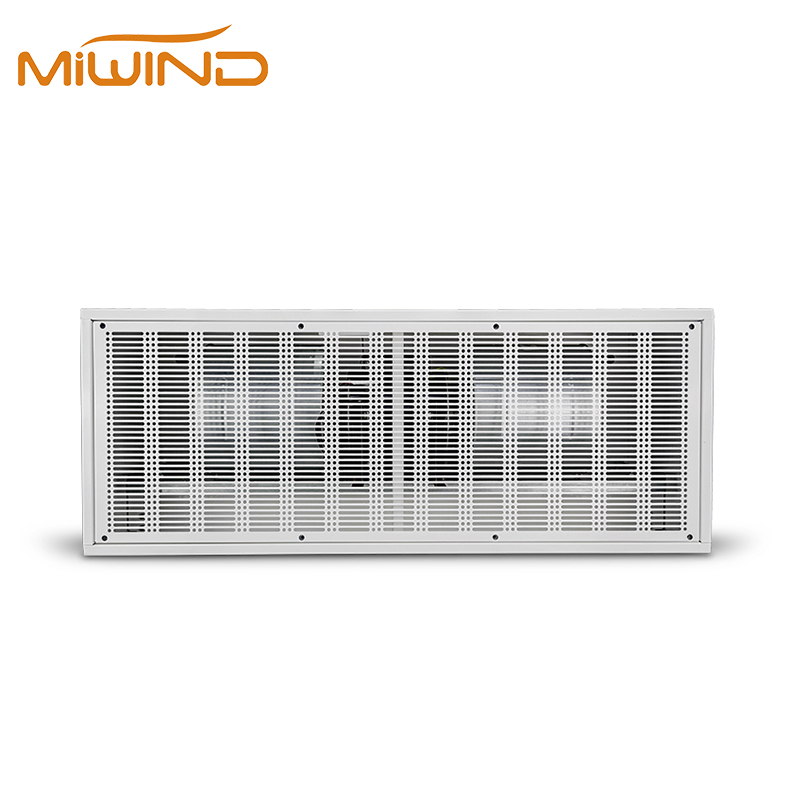
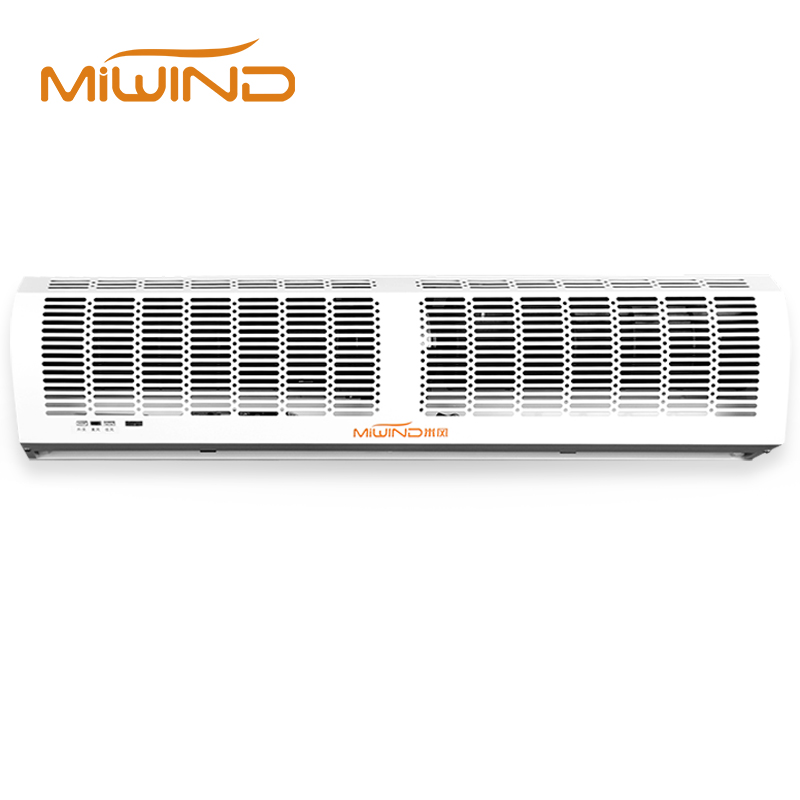
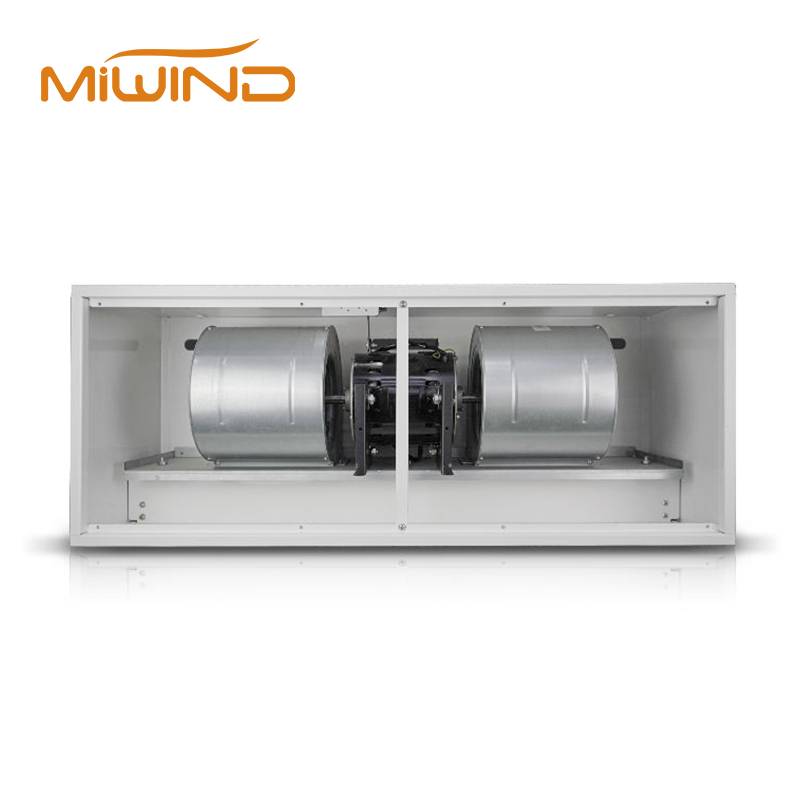
Industrial air curtain maintenance in a dusty warehouse should be treated as an airflow-performance task, not only as a cleaning chore. A dock-door unit can look normal from the floor while dust collects on the intake area, outlet path, blower wheel, motor area, switches, or mounting hardware. Over time, that buildup can weaken the air stream and make the doorway feel like the product is undersized.
For MIWIND projects, start with the industrial air curtain models and the industrial warehouse air curtain solutions. MIWIND can help buyers review doorway width, mounting height, airflow needs, product documents, and service-access details. The maintenance actions themselves must still follow the exact model document and local safety procedure.
This article is intentionally narrow. It is not an exhaust fan maintenance guide, and it is not an installation-method guide. It gives warehouse teams a practical checklist for inspecting air curtains used around dusty docks, yards, production doors, and forklift routes.
Why Dusty Warehouses Need a Different Maintenance Plan
Dusty warehouses create a harsher environment than quiet storefront entrances. Forklift traffic, packaging debris, outdoor yards, loading docks, construction dust, powders, pallet dust, and exhaust residue can all move toward door openings. The air curtain is placed directly in that movement path.
If the unit loses performance, the site may notice:
- Dust entering more easily through the door.
- Lower apparent air velocity near the floor.
- A louder or rougher operating sound.
- Vibration at the housing or mounting points.
- Weak response when the door switch starts the unit.
- Airflow bending away from the doorway.
- More insects, drafts, odors, or outdoor air near the opening.
Dust can collect on the housing, intake grille, and any filter or screen fitted to the unit. Cleaning methods, service intervals, and replaceable parts vary by model and operating conditions. Follow the current MIWIND product manual and site safety procedures before inspecting or cleaning equipment.
For the doorway-contamination problem itself, see air curtain dust control in warehouses. For the broader loading-door application, see the warehouse dock door air curtain guide.
Before You Start: Safety and Documentation Checks
Maintenance starts before anyone opens a cover or touches the unit. The first step is to identify the model, power supply, control wiring, and service-access method. Warehouse teams should also confirm who is qualified to work on the equipment and what lockout/tagout rules apply on the site.
Do not service an air curtain while it is powered. Do not assume that a visible switch removes all electrical risk. The safe working method must be defined by the buyer's facility procedure, electrician, and the manufacturer's model document.
Before inspection, collect:
| Check | What to confirm |
|---|---|
| Model and location | Unit model, doorway name, door number, and installation height. |
| Power status | Disconnect point, lockout procedure, and responsible person. |
| Documents | MIWIND catalog, wiring notes, service instructions, and any site maintenance record. |
| Access | Lift, platform, clearance, lighting, and safe reach to the intake and outlet. |
| Environment | Dust source, operating hours, forklift traffic, and cleaning schedule nearby. |
| Symptoms | Noise, vibration, low airflow, switch failure, delayed start, or dust intrusion. |
Use air curtain technical resources, download MIWIND catalogs and specifications, and air curtain catalog downloads when the site needs document support before service.
Routine Visual Inspection Checklist
A useful industrial air curtain maintenance log separates visual inspection from cleaning. Visual checks help the maintenance team decide whether the unit needs simple cleaning, control review, or technical support.
Housing, Mounting, and Fasteners
Check the housing for dents, loose panels, corrosion, missing screws, unusual gaps, or evidence of impact from forklifts, pallets, ladders, or dock equipment. A dusty warehouse can hide physical damage until vibration or noise appears.
Check that mounting hardware looks secure from a safe access point. Do not turn this into an installation tutorial. If the unit appears loose, shifted, or unsupported, stop the maintenance task and request qualified review.
Air Inlet, Outlet, and Discharge Path
Inspect the intake side, outlet path, grille, screen, or filter area if the model uses one. Do not assume every MIWIND industrial air curtain has the same filter configuration. Record what is actually present, then confirm replacement or cleaning details with MIWIND.
Also check the discharge path. Signs, door tracks, dock equipment, banners, pipes, and temporary storage can block the air stream. A clean unit can still perform poorly if the discharge path is obstructed.
Door Switches, Sensors, and Controls
Watch how the air curtain starts and stops when the door operates. Does it start at the right time? Does it continue running when expected? Does it stop too early? Does the control box show damage, loose covers, or water exposure?
If the door switch, timer, remote, or control signal is inconsistent, the maintenance log should note the symptom rather than guessing the cause. For pressure or control-related performance problems, link the site review to pressure differential and air curtain performance.
Cleaning Checklist for Dusty Environments
Cleaning should follow the model document. The checklist below is a planning aid for warehouse teams, not a MIWIND universal service manual.
Exterior Housing and Intake Area
After power is locked out and access is safe, remove loose dust from the exterior housing and intake area using the method allowed by the model document and facility procedure. Avoid pushing dust deeper into the unit. Avoid water or liquid cleaning methods unless the exact model and electrical protection allow it.
The intake area deserves special attention because it affects the air available to the unit. In dusty warehouses, a blocked intake can make the air curtain seem weak even when the motor still runs.
Filters or Screens, If Equipped
Some market air curtain products are configured with intake grilles, mesh filters, or screens. Do not assume the same arrangement across all MIWIND models. If a filter, screen, or grille is visible, record its condition and ask MIWIND for the correct cleaning or replacement instruction before creating a fixed internal routine.
Avoid writing maintenance rules such as "wash every month" or "replace every six months" unless the model manual confirms them. The correct frequency depends on dust load, location, operating hours, and access conditions.
Airflow Path After Cleaning
After cleaning and reassembly, inspect the outlet path again. Confirm that panels, grilles, and any access covers are secure. Confirm that the discharge direction has not been accidentally shifted. If the air stream no longer reaches the intended part of the doorway, the site may need product or mounting review rather than more cleaning.
Performance Checks After Maintenance
Maintenance is not finished when the visible dust is gone. The warehouse team should verify that the unit still supports the doorway.
Airflow Consistency
Stand clear of moving doors and traffic paths, then observe whether the airflow feels consistent across the opening. A facilities team may also use its own safe measurement tools or request supplier support when a documented airflow check is required.
Do not promise that cleaning restores a unit to a specific percentage of original performance. The purpose is simpler: confirm whether cleaning solved the observed symptom or whether the site needs a deeper review.
Noise, Vibration, and Door Response
Restart the unit through the normal control sequence. Listen for unusual sound and look for abnormal vibration from a safe distance. Record whether the unit starts when the door opens, whether any delay is expected, and whether the airflow continues for the intended period.
If noise, vibration, weak airflow, or delayed starting remains after cleaning, request technical review. Do not keep operating a damaged unit just because it still produces air.
When to Contact MIWIND for Service Guidance
Contact MIWIND when the maintenance team cannot confirm the model document, when the site needs spare parts, or when symptoms continue after safe cleaning.
Ask MIWIND for support when:
- The model or serial information is unclear.
- The buyer needs a maintenance document for an OEM or distributor customer.
- The unit has visible damage, unusual vibration, or low airflow.
- The warehouse wants to confirm whether a filter, grille, or screen is replaceable.
- The door switch or control behavior is inconsistent.
- The air stream appears affected by pressure, crosswind, or installation height.
- The site needs product literature for multiple doors.
The warehouse industrial door case can be used as an industrial-door airflow reference only. It should not be presented as a maintenance interval, part-life, or warranty proof.
Maintenance Log Template for Warehouse Teams
Use this log to record each inspection, cleaning performed, symptoms found, and follow-up action:
| Log field | What to record |
|---|---|
| Door and unit | Door number, model, location, and installation height. |
| Date and hours | Inspection date and estimated operating pattern. |
| Environment | Dust source, forklift route, dock exposure, and nearby process. |
| Safety | Power isolation method and qualified person responsible. |
| Intake condition | Grille, screen, filter if present, and dust buildup. |
| Outlet condition | Discharge path, obstruction, nozzle/guide direction, and visible damage. |
| Controls | Door switch, timer, remote, BMS signal, and response behavior. |
| Symptoms | Low airflow, noise, vibration, dust intrusion, odor, insects, or drafts. |
| Action taken | Cleaning, document request, part request, or technical support needed. |
| Photos | Intake, outlet, nameplate, controls, mounting, and doorway view. |
This log gives maintenance teams, procurement teams, and distributors a repeatable way to discuss service without inventing model-specific rules.
FAQ
How often should an industrial air curtain be maintained in a dusty warehouse?
Follow the exact MIWIND model document and the site maintenance program. Dust load, operating hours, location, traffic, and access conditions all affect inspection frequency.
What parts of an air curtain collect the most dust?
Common inspection points include the exterior housing, intake area, grille or screen, filter if equipped, outlet path, blower area, motor area, controls, and nearby mounting surfaces.
Can dust buildup reduce air curtain performance?
Yes. Dust or debris can restrict intake, disturb airflow, increase noise, and make the doorway barrier feel weaker. Cleaning should still follow the model document and safety procedure.
Should warehouse teams lubricate an industrial air curtain?
Do not assume lubrication is required or allowed. Confirm the model manual or ask MIWIND before adding any lubrication step to a maintenance routine.
What should be recorded in an air curtain maintenance log?
Record model, location, door size, operating condition, safety steps, intake and outlet condition, symptoms, controls, cleaning action, parts requested, photos, and follow-up owner.
Next Step
Use Contact Us to ask MIWIND for maintenance guidance. Send the model, doorway photos, dust source, operating hours, intake condition, vibration or low-airflow symptoms, control behavior, voltage, and document needs so the team can route the request through product, support, or replacement-part review.